
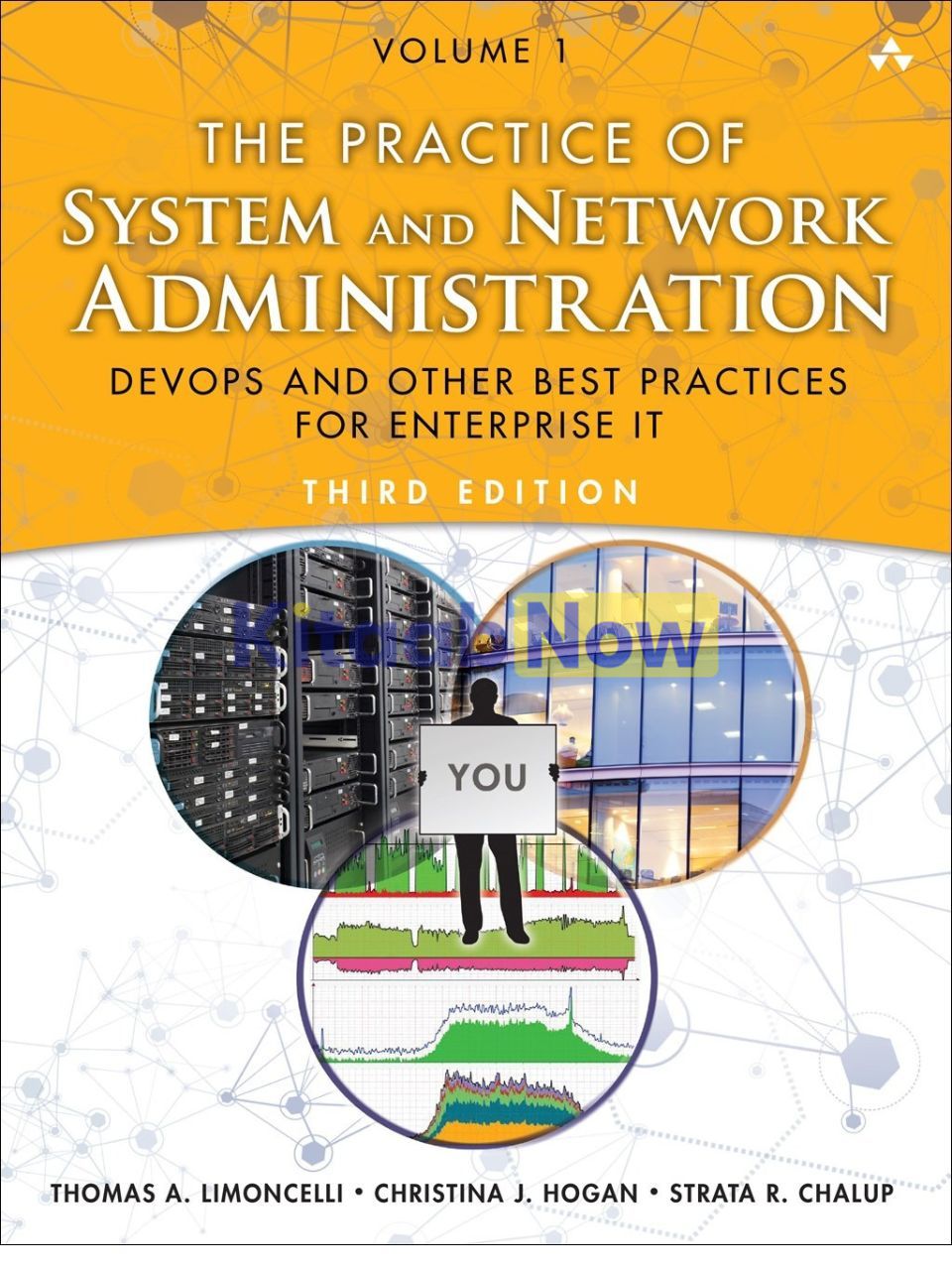

The Practice of System and Network Administration: The DevOps and other Best Practices for Enterprise IT (Volume 1) (3rd Edition)
- Authors: Thomas A. Limoncelli, Christina J. Hogan, Strata R. Chalup
- ISBN: 9780321919168
- Publisher: Pearson Education
- Edition: 3rd
- Publication Date: September 05, 2019
- Format: Paperback – 1232 pages
- Language: English
Description
With 28 new chapters, the third edition of The Practice of System and Network Administration innovates yet again! Revised with thousands of updates and clarifications based on reader feedback, this new edition also incorporates DevOps strategies even for non-DevOps environments.
Whether you use Linux, Unix, or Windows, this new edition describes the essential practices previously handed down only from mentor to protégé. This wonderfully lucid, often funny cornucopia of information introduces beginners to advanced frameworks valuable for their entire career, yet is structured to help even experts through difficult projects.
Other books tell you what commands to type. This book teaches you the cross-platform strategies that are timeless!
- DevOps techniques: Apply DevOps principles to enterprise IT infrastructure, even in environments without developers
- Game-changing strategies: New ways to deliver results faster with less stress
- Fleet management: A comprehensive guide to managing your fleet of desktops, laptops, servers and mobile devices
- Service management: How to design, launch, upgrade and migrate services
- Measurable improvement: Assess your operational effectiveness; a forty-page, pain-free assessment system you can start using today to raise the quality of all services
- Design guides: Best practices for networks, data centers, email, storage, monitoring, backups and more
Management skills: Organization design, communication, negotiation, ethics, hiring and firing, and more
Have you ever had any of these problems?
- Have you been surprised to discover your backup tapes are blank?
- Ever spent a year launching a new service only to be told the users hate it?
- Do you have more incoming support requests than you can handle?
- Do you spend more time fixing problems than building the next awesome thing?
- Have you suffered from a botched migration of thousands of users to a new service?
- Does your company rely on a computer that, if it died, can’t be rebuilt?
- Is your network a fragile mess that breaks any time you try to improve it?
- Is there a periodic “hell month” that happens twice a year? Twelve times a year?
- Do you find out about problems when your users call you to complain?
- Does your corporate “Change Review Board” terrify you?
- Does each division of your company have their own broken way of doing things?
- Do you fear that automation will replace you, or break more than it fixes?
- Are you underpaid and overworked?
No vague “management speak” or empty platitudes. This comprehensive guide provides real solutions that prevent these problems and more!
Table of Contents
- Preface xxxix
- Acknowledgments xlvii
- About the Authors li
- Part I: Game-Changing Strategies 1
- Chapter 1: Climbing Out of the Hole 3
- Organizing WIP 5
- Eliminating Time Sinkholes 12
- DevOps 16
- DevOps Without Devs 16
- Bottlenecks 18
- Getting Started 20
- Summary 21
- Exercises 22
- Chapter 2: The Small Batches Principle 23
- The Carpenter Analogy 23
- Fixing Hell Month 24
- Improving Emergency Failovers 26
- Launching Early and Often 29
- Summary 34
- Exercises 34
- Chapter 3: Pets and Cattle 37
- The Pets and Cattle Analogy 37
- Scaling 39
- Desktops as Cattle 40
- Server Hardware as Cattle 41
- Pets Store State 43
- Isolating State 44
- Generic Processes 47
- Moving Variations to the End 51
- Automation 53
- Summary 53
- Exercises 54
- Chapter 4: Infrastructure as Code 55
- Programmable Infrastructure 56
- Tracking Changes 57
- Benefits of Infrastructure as Code 59
- Principles of Infrastructure as Code 62
- Configuration Management Tools 63
- Example Infrastructure as Code Systems 67
- Bringing Infrastructure as Code to Your Organization 71
- Infrastructure as Code for Enhanced Collaboration 72
- Downsides to Infrastructure as Code 73
- Automation Myths 74
- Summary 75
- Exercises 76
- Chapter 1: Climbing Out of the Hole 3
- Part II: Workstation Fleet Management 77
- Chapter 5: Workstation Architecture 79
- Fungibility 80
- Hardware 82
- Operating System 82
- Network Configuration 84
- Accounts and Authorization 86
- Data Storage 89
- OS Updates 93
- Security 94
- Logging 97
- Summary 98
- Exercises 99
- Chapter 6: Workstation Hardware Strategies 101
- Physical Workstations 101
- Virtual Desktop Infrastructure 105
- Bring Your Own Device 110
- Summary 113
- Exercises 114
- Chapter 7: Workstation Software Life Cycle 117
- Life of a Machine 117
- OS Installation 120
- OS Configuration 120
- Updating the System Software and Applications 123
- Rolling Out Changes . . . Carefully 128
- Disposal 130
- Summary 134
- Exercises 135
- Chapter 8: OS Installation Strategies 137
- Consistency Is More Important Than Perfection 138
- Installation Strategies 142
- Test-Driven Configuration Development 147
- Automating in Steps 148
- When Not to Automate 152
- Vendor Support of OS Installation 152
- Should You Trust the Vendor’s Installation? 154
- Summary 154
- Exercises 155
- Chapter 9: Workstation Service Definition 157
- Basic Service Definition 157
- Refresh Cycles 161
- Tiered Support Levels 165
- Workstations as a Managed Service 168
- Summary 170
- Exercises 171
- Chapter 10: Workstation Fleet Logistics 173
- What Employees See 173
- What Employees Don’t See 174
- Configuration Management Database 183
- Small-Scale Fleet Logistics 186
- Summary 188
- Exercises 188
- Chapter 11: Workstation Standardization 191
- Involving Customers Early 192
- Releasing Early and Iterating 193
- Having a Transition Interval (Overlap) 193
- Ratcheting 194
- Setting a Cut-Off Date 195
- Adapting for Your Corporate Culture 195
- Leveraging the Path of Least Resistance 196
- Summary 198
- Exercises 199
- Chapter 12: Onboarding 201
- Making a Good First Impression 201
- IT Responsibilities 203
- Five Keys to Successful Onboarding 203
- Cadence Changes 212
- Case Studies 212
- Summary 216
- Exercises 217
- Chapter 5: Workstation Architecture 79
- Part III: Servers 219
- Chapter 13: Server Hardware Strategies 221
- All Eggs in One Basket 222
- Beautiful Snowflakes 224
- Buy in Bulk, Allocate Fractions 228
- Grid Computing 235
- Blade Servers 237
- Cloud-Based Compute Services 238
- Server Appliances 241
- Hybrid Strategies 242
- Summary 243
- Exercises 244
- Chapter 14: Server Hardware Features 245
- Workstations Versus Servers 246
- Server Reliability 249
- Remotely Managing Servers 254
- Separate Administrative Networks 257
- Maintenance Contracts and Spare Parts 258
- Selecting Vendors with Server Experience 261
- Summary 263
- Exercises 263
- Chapter 15: Server Hardware Specifications 265
- Models and Product Lines 266
- Server Hardware Details 266
- Things to Leave Out 278
- Summary 278
- Exercises 279
- Chapter 13: Server Hardware Strategies 221
- Part IV: Services 281
- Chapter 16: Service Requirements 283
- Services Make the Environment 284
- Starting with a Kick-Off Meeting 285
- Gathering Written Requirements 286
- Customer Requirements 288
- Scope, Schedule, and Resources 291
- Operational Requirements 292
- Open Architecture 298
- Summary 302
- Exercises 303
- Chapter 17: Service Planning and Engineering 305
- General Engineering Basics 306
- Simplicity 307
- Vendor-Certified Designs 308
- Dependency Engineering 309
- Decoupling Hostname from Service Name 313
- Support 315
- Summary 319
- Exercises 319
- Chapter 18: Service Resiliency and Performance Patterns 321
- Redundancy Design Patterns 322
- Performance and Scaling 326
- Summary 333
- Exercises 334
- Chapter 19: Service Launch: Fundamentals 335
- Planning for Problems 335
- The Six-Step Launch Process 336
- Launch Readiness Review 345
- Launch Calendar 348
- Common Launch Problems 349
- Summary 351
- Exercises 351
- Chapter 20: Service Launch: DevOps 353
- Continuous Integration and Deployment 354
- Minimum Viable Product 357
- Rapid Release with Packaged Software 359
- Cloning the Production Environment 362
- Example: DNS/DHCP Infrastructure Software 363
- Launch with Data Migration 366
- Controlling Self-Updating Software 369
- Summary 370
- Exercises 371
- Chapter 21: Service Conversions 373
- Minimizing Intrusiveness 374
- Layers Versus Pillars 376
- Vendor Support 377
- Communication 378
- Training 379
- Gradual Roll-Outs 379
- Flash-Cuts: Doing It All at Once 380
- Backout Plan 383
- Summary 385
- Exercises 385
- Chapter 22: Disaster Recovery and Data Integrity 387
- Risk Analysis 388
- Legal Obligations 389
- Damage Limitation 390
- Preparation 391
- Data Integrity 392
- Redundant Sites 393
- Security Disasters 394
- Media Relations 394
- Summary 395
- Exercises 395
- Chapter 16: Service Requirements 283
- Part V: Infrastructure 397
- Chapter 23: Network Architecture 399
- Physical Versus Logical 399
- The OSI Model 400
- Wired Office Networks 402
- Wireless Office Networks 406
- Datacenter Networks 408
- WAN Strategies 413
- Routing 419
- Internet Access 420
- Corporate Standards 422
- Software-Defined Networks 425
- IPv6 426
- Summary 428
- Exercises 429
- Chapter 24: Network Operations 431
- Monitoring 431
- Management 432
- Documentation 437
- Support 440
- Summary 446
- Exercises 447
- Chapter 25: Datacenters Overview 449
- Build, Rent, or Outsource 450
- Requirements 452
- Summary 456
- Exercises 457
- Chapter 26: Running a Datacenter 459
- Capacity Management 459
- Life-Cycle Management 465
- Patch Cables 468
- Labeling 471
- Console Access 475
- Workbench 476
- Tools and Supplies 477
- Summary 480
- Exercises 481
- Chapter 23: Network Architecture 399
- Part VI: Helpdesks and Support 483
- Chapter 27: Customer Support 485
- Having a Helpdesk 485
- Offering a Friendly Face 488
- Reflecting Corporate Culture 488
- Having Enough Staff 488
- Defining Scope of Support 490
- Specifying How to Get Help 493
- Defining Processes for Staff 493
- Establishing an Escalation Process 494
- Defining “Emergency” in Writing 495
- Supplying Request-Tracking Software 496
- Statistical Improvements 498
- After-Hours and 24/7 Coverage 499
- Better Advertising for the Helpdesk 500
- Different Helpdesks for Different Needs 501
- Summary 502
- Exercises 503
- Chapter 28: Handling an Incident Report 505
- Process Overview 506
- Phase A—Step 1: The Greeting 508
- Phase B: Problem Identification 509
- Phase C: Planning and Execution 515
- Phase D: Verification 518
- Perils of Skipping a Step 519
- Customer Care 521
- Summary 525
- Exercises 527
- Chapter 29: Debugging 529
- Understanding the Customer’s Problem 529
- Fixing the Cause, Not the Symptom 531
- Being Systematic 532
- Having the Right Tools 533
- End-to-End Understanding of the System 538
- Summary 540
- Exercises 540
- Chapter 30: Fixing Things Once 541
- Story: The Misconfigured Servers 541
- Avoiding Temporary Fixes 543
- Learn from Carpenters 545
- Automation 547
- Summary 549
- Exercises 550
- Chapter 31: Documentation 551
- What to Document 552
- A Simple Template for Getting Started 553
- Easy Sources for Documentation 554
- The Power of Checklists 556
- Wiki Systems 557
- Findability 559
- Roll-Out Issues 559
- A Content-Management System 560
- A Culture of Respect 561
- Taxonomy and Structure 561
- Additional Documentation Uses 562
- Off-Site Links 562
- Summary 563
- Exercises 564
- Chapter 27: Customer Support 485
- Part VII: Change Processes 565
- Chapter 32: Change Management 567
- Change Review Boards 568
- Process Overview 570
- Change Proposals 570
- Change Classifications 571
- Risk Discovery and Quantification 572
- Technical Planning 573
- Scheduling 574
- Communication 576
- Tiered Change Review Boards 578
- Change Freezes 579
- Team Change Management 581
- Starting with Git 583
- Summary 585
- Exercises 585
- Chapter 33: Server Upgrades 587
- The Upgrade Process 587
- Step 1: Develop a Service Checklist 588
- Step 2: Verify Software Compatibility 591
- Step 3: Develop Verification Tests 592
- Step 4: Choose an Upgrade Strategy 595
- Step 5: Write a Detailed Implementation Plan 598
- Step 6: Write a Backout Plan 600
- Step 7: Select a Maintenance Window 600
- Step 8: Announce the Upgrade 602
- Step 9: Execute the Tests 603
- Step 10: Lock Out Customers 604
- Step 11: Do the Upgrade with Someone 605
- Step 12: Test Your Work 605
- Step 13: If All Else Fails, Back Out 605
- Step 14: Restore Access to Customers 606
- Step 15: Communicate Completion/Backout 606
- Summary 608
- Exercises 610
- Chapter 34: Maintenance Windows 611
- Process Overview 612
- Getting Management Buy-In 613
- Scheduling Maintenance Windows 614
- Planning Maintenance Tasks 615
- Selecting a Flight Director 616
- Managing Change Proposals 617
- Developing the Master Plan 620
- Disabling Access 621
- Ensuring Mechanics and Coordination 622
- Change Completion Deadlines 628
- Comprehensive System Testing 628
- Post-maintenance Communication 630
- Reenabling Remote Access 631
- Be Visible the Next Morning 631
- Postmortem 631
- Mentoring a New Flight Director 632
- Trending of Historical Data 632
- Providing Limited Availability 633
- High-Availability Sites 634
- Summary 636
- Exercises 637
- Chapter 35: Centralization Overview 639
- Rationale for Reorganizing 640
- Approaches and Hybrids 642
- Summary 643
- Exercises 644
- Chapter 36: Centralization Recommendations 645
- Architecture 645
- Security 645
- Infrastructure 648
- Support 654
- Purchasing 655
- Lab Environments 656
- Summary 656
- Exercises 657
- Chapter 37: Centralizing a Service 659
- Understand the Current Solution 660
- Make a Detailed Plan 661
- Get Management Support 662
- Fix the Problems 662
- Provide an Excellent Service 663
- Start Slowly 663
- Look for Low-Hanging Fruit 664
- When to Decentralize 665
- Managing Decentralized Services 666
- Summary 667
- Exercises 668
- Chapter 32: Change Management 567
- Part VIII: Service Recommendations 669
- Chapter 38: Service Monitoring 671
- Types of Monitoring 672
- Building a Monitoring System 673
- Historical Monitoring 67438.4
- Real-Time Monitoring 676
- Scaling 684
- Centralization and Accessibility 685
- Pervasive Monitoring 686
- End-to-End Tests 687
- Application Response Time Monitoring 688
- Compliance Monitoring 689
- Meta-monitoring 690
- Summary 690
- Exercises 691
- Chapter 39: Namespaces 693
- What Is a Namespace? 693
- Basic Rules of Namespaces 694
- Defining Names 694
- Merging Namespaces 698
- Life-Cycle Management 699
- Reuse 700
- Usage 701
- Federated Identity 708
- Summary 709
- Exercises 710
- Chapter 40: Nameservices 711
- Nameservice Data 711
- Reliability 714
- Access Policy 721
- Change Policies 723
- Change Procedures 724
- Centralized Management 726
- Summary 728
- Exercises 728
- Chapter 41: Email Service 729
- Privacy Policy 730
- Namespaces 730
- Reliability 731
- Simplicity 733
- Spam and Virus Blocking 735
- Generality 736
- Automation 737
- Monitoring 738
- Redundancy 738
- Scaling 739
- Security Issues 742
- Encryption 743
- Email Retention Policy 743
- Communication 744
- High-Volume List Processing 745
- Summary 746
- Exercises 747
- Chapter 42: Print Service 749
- Level of Centralization 750
- Print Architecture Policy 751
- Documentation 754
- Monitoring 755
- Environmental Issues 756
- Shredding 757
- Summary 758
- Exercises 758
- Chapter 43: Data Storage 759
- Terminology 760
- Managing Storage 765
- Storage as a Service 772
- Performance 780
- Evaluating New Storage Solutions 784
- Common Data Storage Problems 787
- Summary 789
- Exercises 790
- Chapter 44: Backup and Restore 793
- Getting Started 794
- Reasons for Restores 795
- Corporate Guidelines 799
- A Data-Recovery SLA and Policy 800
- The Backup Schedule 801
- Time and Capacity Planning 807
- Consumables Planning 809
- Restore-Process Issues 815
- Backup Automation 816
- Centralization 819
- Technology Changes 820
- Summary 821
- Exercises 822
- Chapter 45: Software Repositories 825
- Types of Repositories 826
- Benefits of Repositories 827
- Package Management Systems 829
- Anatomy of a Package 829
- Anatomy of a Repository 833
- Managing a Repository 837
- Repository Client 841
- Build Environment 843
- Repository Examples 845
- Summary 848
- Exercises 849
- Chapter 46: Web Services 851
- Simple Web Servers 852
- Multiple Web Servers on One Host 853
- Service Level Agreements 854
- Monitoring 855
- Scaling for Web Services 855
- Web Service Security 859
- Content Management 866
- Summary 868
- Exercises 869
- Chapter 38: Service Monitoring 671
- Part IX: Management Practices 871
- Chapter 47: Ethics 873
- Informed Consent 873
- Code of Ethics 875
- Customer Usage Guidelines 875
- Privileged-Access Code of Conduct 877
- Copyright Adherence 878
- Working with Law Enforcement 881
- Setting Expectations on Privacy and Monitoring 885
- Being Told to Do Something Illegal/Unethical 887
- Observing Illegal Activity 888
- Summary 889
- Exercises 889
- Chapter 48: Organizational Structures 891
- Sizing 892
- Funding Models 894
- Management Chain’s Influence 897
- Skill Selection 898
- Infrastructure Teams 900
- Customer Support 902
- Helpdesk 904
- Outsourcing 904
- Consultants and Contractors 906
- Sample Organizational Structures 907
- Summary 911
- Exercises 911
- Chapter 49: Perception and Visibility 913
- Perception 913
- Visibility 925
- Summary 933
- Exercises 934
- Chapter 50: Time Management 935
- Interruptions 935
- Follow-Through 937
- Basic To-Do List Management 938
- Setting Goals 939
- Handling Email Once 940
- Precompiling Decisions 942
- Finding Free Time 943
- Dealing with Ineffective People 944
- Dealing with Slow Bureaucrats 944
- Summary 946
- Exercises 946
- Chapter 51: Communication and Negotiation 949
- Communication 949
- I Statements 950
- Active Listening 950
- Negotiation 954
- Additional Negotiation Tips 958
- Further Reading 960
- Summary 961
- Exercises 961
- Chapter 52: Being a Happy SA 963
- Happiness 963
- Accepting Criticism 965
- Your Support Structure 965
- Balancing Work and Personal Life 966
- Professional Development 967
- Staying Technical 968
- Loving Your Job 969
- Motivation 970
- Managing Your Manager 972
- Self-Help Books 976
- Summary 976
- Exercises 977
- Chapter 53: Hiring System Administrators 979
- Job Description 980
- Skill Level 982
- Recruiting 983
- Timing 985
- Team Considerations 987
- The Interview Team 990
- Interview Process 991
- Technical Interviewing 994
- Nontechnical Interviewing 998
- Selling the Position 1000
- Employee Retention 1000
- Getting Noticed 1001
- Summary 1002
- Exercises 1003
- Chapter 54: Firing System Administrators 1005
- Cooperate with Corporate HR 1006
- The Exit Checklist 1007
- Removing Access 1007
- Logistics 1011
- Examples 1011
- Supporting Infrastructure 1014
- Summary 1015
- Exercises 1016
- Chapter 47: Ethics 873
- Part X: Being More Awesome 1017
- Chapter 55: Operational Excellence 1019
- What Does Operational Excellence Look Like? 1019
- How to Measure Greatness 1020
- Assessment Methodology 1021
- Service Assessments 1025
- Organizational Assessments 1029
- Levels of Improvement 1030
- Getting Started 1031
- Summary 1032
- Exercises 1033
- Chapter 56: Operational Assessments 1035
- Regular Tasks (RT) 1036
- Emergency Response (ER) 1039
- Monitoring and Metrics (MM) 1041
- Capacity Planning (CP) 1043
- Change Management (CM) 1045
- New Product Introduction and Removal (NPI/NPR) 1047
- Service Deployment and Decommissioning (SDD) 1049
- Performance and Efficiency (PE) 1051
- Service Delivery: The Build Phase 1054
- Service Delivery: The Deployment Phase 1056
- Toil Reduction 1058
- Disaster Preparedness 1060
- Epilogue 1063
- Chapter 55: Operational Excellence 1019
- Part XI: Appendices 1065
- Appendix A: What to Do When . . . 1067
- Appendix B: The Many Roles of a System Administrator 1089
- B.1 Common Positive Roles 1090
- B.2 Negative Roles 1107
- B.3 Team Roles 1109
- B.4 Summary 1112
- Exercises 1112
- Bibliography 1115
- Index 1121
Authors Biography
Thomas A. Limoncelli is an internationally recognized author, speaker, and system administrator with more than twenty years of experience at companies like Google, Bell Labs, and StackOverflow.com.
Christina J. Hogan has more than twenty years of experience in system administration and network engineering, from Silicon Valley to Italy and Switzerland. She has a master’s degree in computer science, a doctorate in aeronautical engineering, and has been part of a Formula 1 racing team.
Strata R. Chalup has more than twenty-five years of experience in Silicon Valley, focusing on IT strategy, best-practices, and scalable infrastructures at firms that include Apple, Sun, Cisco, McAfee, and Palm.
Additional information
| Weight | 1.516 kg |
|---|
Only logged in customers who have purchased this product may leave a review.
Related Products




Reviews
There are no reviews yet.